RRIF Withdrawal Calculator
When a client asks whether to leave the RRIF alone or draw it down faster, show them what each pace costs: the lifetime tax and Old Age Security recovery either way, and the tax the balance would face on death, then turn it into a client-ready letter.
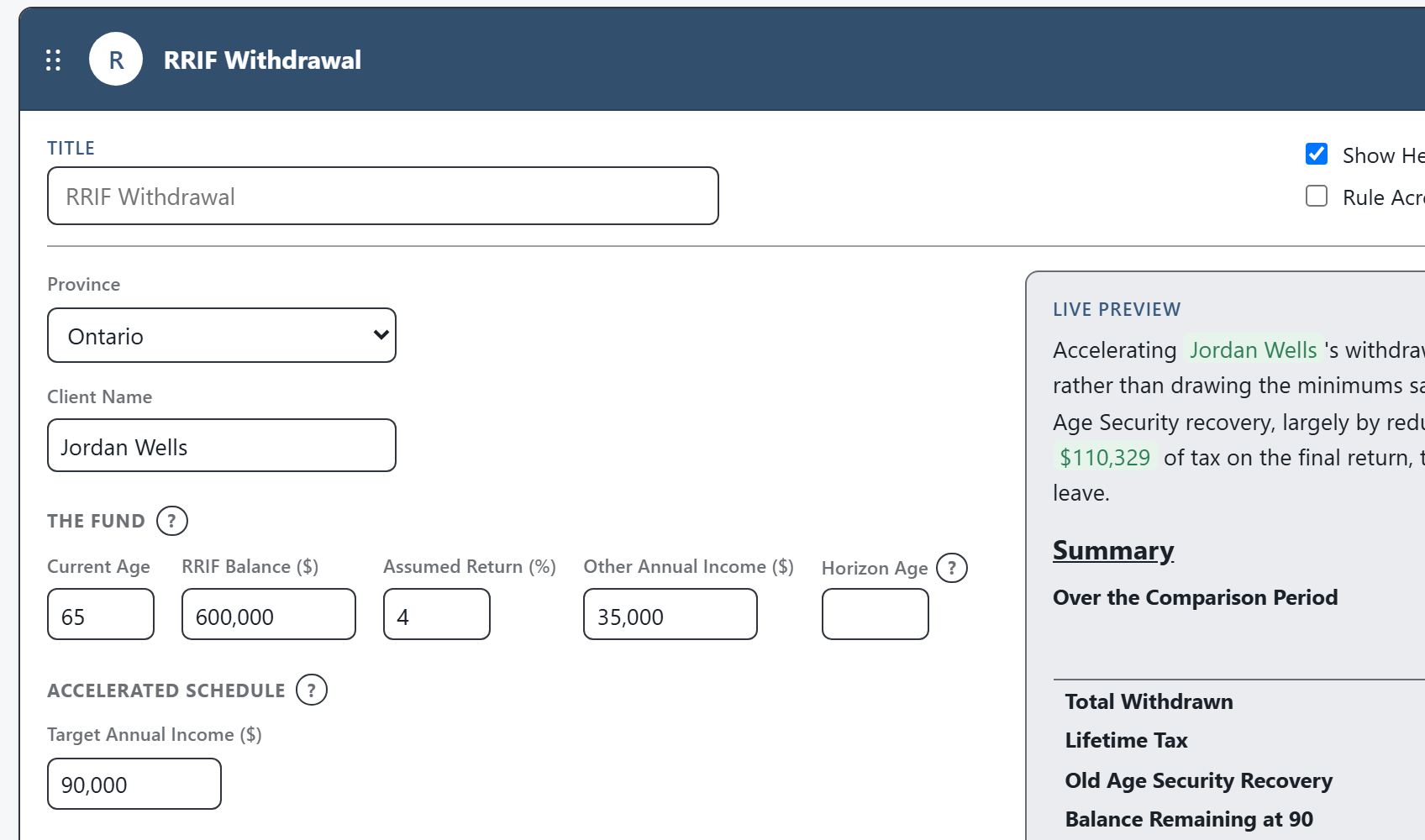
The calculation is only half the work. CodaraFlow finishes the explanation, the tables, and the client-ready letter.
Two Drawdown Paths, Year by Year
This is one of the built-in calculations in CodaraFlow. Enter the age, the balance, an assumed return and the client’s other income, and it runs the fund to the horizon two ways: at the statutory minimums, and accelerated to a target income that fills the lower brackets.
- The Statutory MinimumsThe prescribed factors are built in, rising to the 20% cap at 95, with an optional election to use a younger spouse’s age.
- Accelerated to a Target IncomeEach year the withdrawal tops the client’s income up to a target you set, never below the minimum, so the lower brackets are used while they last.
- The OAS Recovery TaxThe clawback is applied once Old Age Security begins, capped at the annual pension, with an optional start age of 65 to 70 that both delays and enlarges it.
- The Tax Left on DeathThe balance remaining at the horizon is fully taxable on the final return; the estimate of that tax is usually the reason to draw earlier.
- Lifetime Totals, Both WaysTotal withdrawn, lifetime tax and OAS recovery, and the ending balance, side by side, with the tax saved by accelerating in bold.
From the Calculation to a Client-Ready Letter
The number is not the deliverable. In CodaraFlow the result drops straight into a letter section: the firm’s approved wording, the lifetime-totals comparison, a compact banded schedule, and the notes on the today’s-dollars basis and the tax on death, written in for you. Exported as an editable Word document on your letterhead.
The same reviewed explanation, not whatever the preparer types today.
The summary sentence adapts to the figures: the lifetime saving when accelerating helps, and a plain note when a target is below the minimums.
The minimum-only and accelerated schedules are laid out in age bands and footed automatically, with the tax on death called out.
Finish it in Word, on your firm’s letterhead. No proprietary format.
How the Comparison Is Built
The comparison reflects the rules that govern a RRIF drawdown. The wording is firm-editable.
A prescribed percentage of the January 1 balance each year: 1/(90 − age) before 71, then the published schedule rising to 20% from 95.
RRIF withdrawals are taxable in the year received, stacked on the client’s other income at graduated rates.
Income above the annual threshold recovers Old Age Security at 15%, up to the full pension received.
The fair market value of the RRIF is included in income on the final return unless it rolls over to a surviving spouse or a financially dependent child or grandchild.
The figures are a planning illustration in today’s dollars at today’s rates: the brackets are not indexed, other income is held level, and amounts withdrawn are not assumed to earn a further return. The right pace depends on cash-flow needs, other income, and estate goals, and remains professional judgment.
Calculations Firms Reach For Alongside It
Get a working demo account, run this calculation on a real file, and export the letter it produces.
Everything is computed from the figures you enter and assembled from your firm’s approved wording. The app never connects to AI.
Editable Word documents on your firm’s letterhead. Monthly pricing, no long-term contracts.
Questions About This Calculation
Is this a standalone calculator?
No. It’s one of the built-in calculations inside CodaraFlow. The result becomes a client-ready letter section, complete with the schedule and the notes that apply, not just a figure you copy into a client letter.
Does it model when the client should take OAS or CPP?
It models the OAS recovery tax on the withdrawals, with an optional OAS start age of 65 to 70. The start-age decision itself is the CPP / OAS calculator’s job; the two are meant to be used together.
Can we change the wording and which notes appear?
Yes. Every sentence and every note is firm-editable, and can be overridden on an individual letter.
Does any client data go to an AI?
No. The app never connects to AI. Deliverables are assembled from structured facts and your firm’s approved wording.