Salary vs Dividend Calculator
Compare paying an owner-manager by salary or by dividend and see the after-tax result for the person and the company, then turn it into a client-ready recommendation, not just a number on screen.
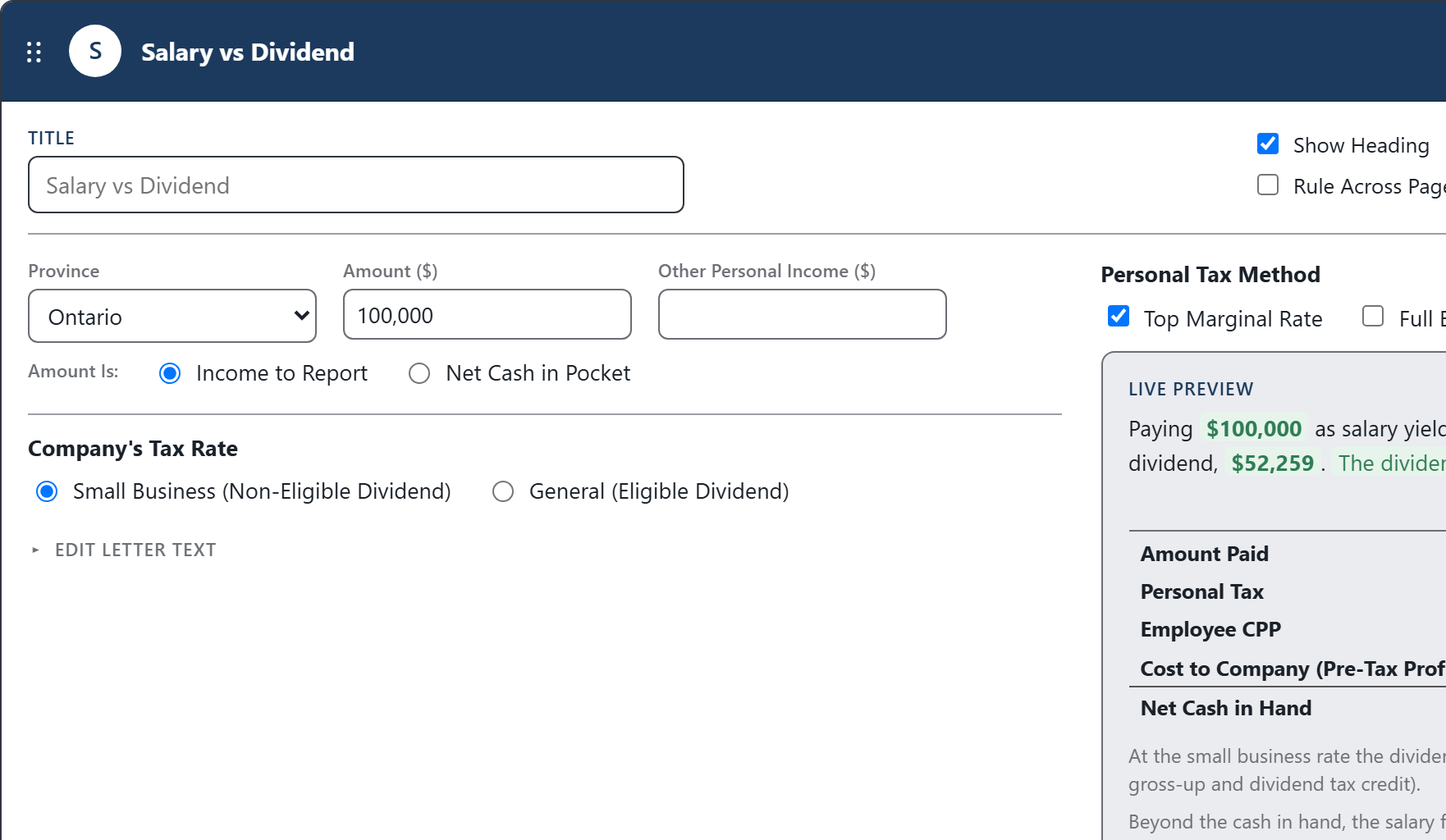
The calculation is only half the work. CodaraFlow finishes the explanation, the tables, and the client-ready letter.
The After-Tax Picture for Both Routes
This is one of the built-in calculations in CodaraFlow. Enter the amount, the province, and the company’s rate, and it works the personal and corporate tax through each and compares the after-tax outcome of both routes.
- Two Ways to Ask ItEnter the amount as pay (“what is left in hand?”) or as a take-home target (“what does it cost the company?”).
- After-Tax Cash, Side by SideThe net cash the owner keeps from salary versus the same amount taken as a dividend.
- The Cost to the CompanyThe pre-tax corporate income required to fund each option, at the selected corporate tax rate.
- The After-Tax DifferenceThe dollar difference in after-tax cash between the two routes.
- Beyond the CashCPP contributions and RRSP room, which may make salary preferable even when the immediate after-tax cash is lower.
From the Calculation to a Client-Ready Letter
The number is not the deliverable. In CodaraFlow the result drops straight into a letter section: the firm’s approved wording, the computation tables, and the explanatory notes that actually apply to this client, written in for you. Exported as an editable Word document on your letterhead.
The same reviewed explanation, not whatever the preparer types today.
The dividend-type, CPP and RRSP, and planning notes appear only when the client’s numbers call for them.
The side-by-side computation is laid out and footed automatically.
Finish it in Word, on your firm’s letterhead. No proprietary format.
How the Comparison Is Built
The comparison runs on the mechanics that integrate personal and corporate tax. The wording is firm-editable; the rules are fixed by the Act.
A taxable dividend is grossed up to reflect the corporation’s pre-tax income for integration purposes.
A credit reduces the personal tax on the grossed-up dividend, reflecting tax the company already paid. Eligible dividends carry the enhanced gross-up and credit.
Section 125 provides the small business deduction, reducing tax on qualifying active business income.
Salary is deductible to the company as a business expense, provided it is reasonable; a dividend is paid out of after-tax profit.
This is a planning estimate. It excludes the personal tax effects of the CPP deduction and tax credit, EI, the OAS clawback, provincial health levies, and the longer-term value of CPP contributions and RRSP room.
Calculations Firms Reach For Alongside It
Get a working demo account, run this calculation on a real file, and export the letter it produces.
Everything is computed from the figures you enter and assembled from your firm’s approved wording. The app never connects to AI.
Editable Word documents on your firm’s letterhead. Monthly pricing, no long-term contracts.
Questions About This Calculation
Is this a standalone calculator?
No. It’s one of the built-in calculations inside CodaraFlow. The result becomes a client-ready recommendation, complete with the comparison table and notes, not just a figure you copy into a client letter.
Does it decide salary or dividend for the client?
No. It shows the after-tax outcome of each route so you can advise. The recommendation, and any non-tax factors, remain your professional judgment.
Can we change the wording and which notes appear?
Yes. Every sentence and every note is firm-editable, and can be overridden on an individual letter.
Does any client data go to an AI?
No. The app never connects to AI. Deliverables are assembled from structured facts and your firm’s approved wording.