CPP / OAS Start-Date Calculator
Compare different CPP and OAS start dates, with the break-even ages, the lifetime totals and the OAS recovery tax, then turn it into a client-ready letter, not just a number on screen.
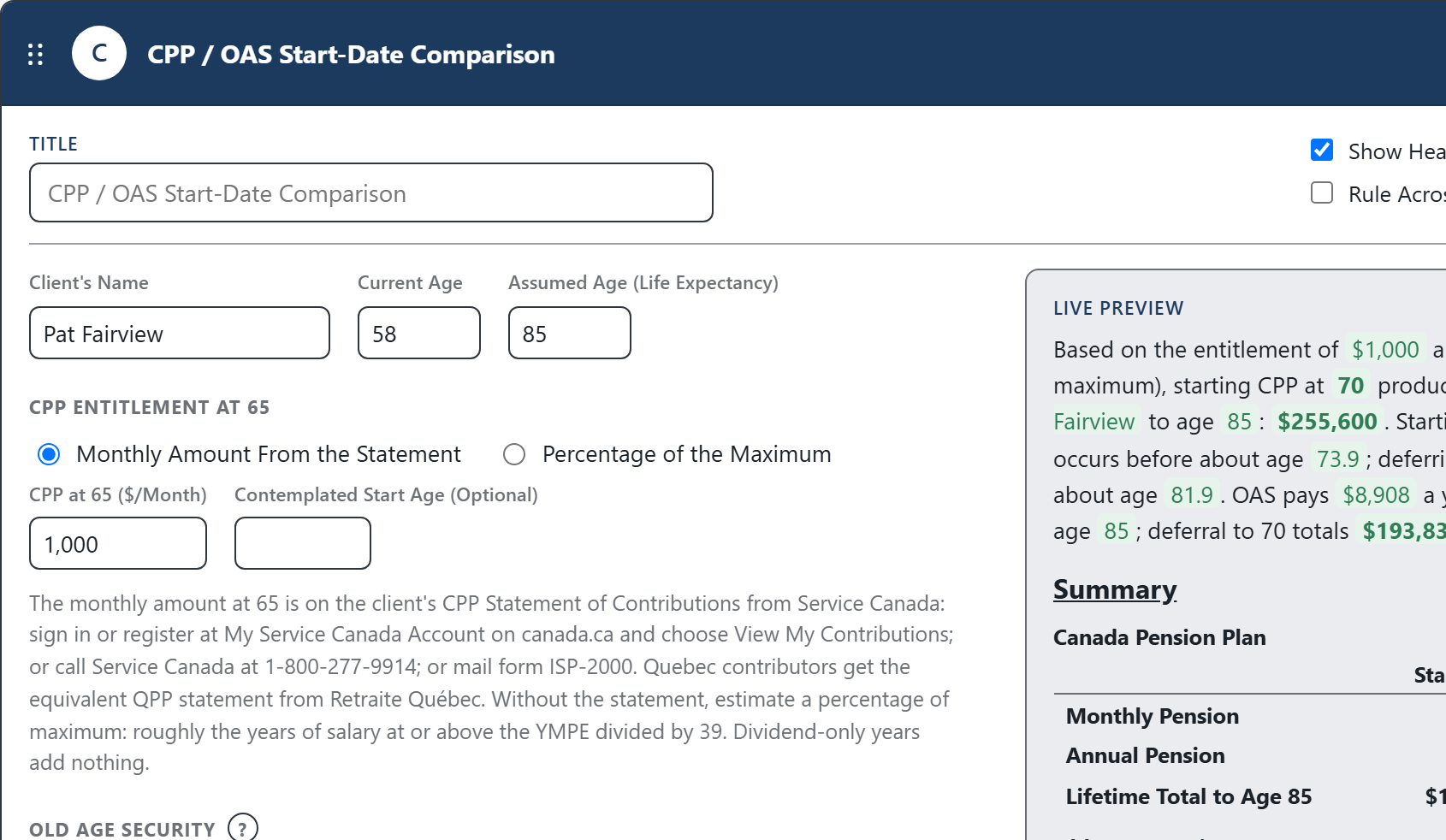
The calculation is only half the work. CodaraFlow finishes the explanation, the tables, and the client-ready letter.
When to Start, and What Each Choice Is Worth
This is one of the built-in calculations in CodaraFlow. Enter the client’s CPP entitlement, age and assumptions, and it compares different CPP and OAS start ages using lifetime benefits and break-even ages.
- CPP Start-Age ComparisonEstimated lifetime CPP benefits at each start age from 60 to 70, in today’s dollars.
- The Break-Even AgesWhen starting later overtakes starting earlier (60 versus 65, 65 versus 70).
- OAS From 65 or 70The lifetime OAS at each start, including the deferral increase.
- The OAS Recovery TaxThe estimated OAS recovery tax based on the income entered. Actual recovery tax depends on net income each year.
- The Age-75 IncreaseThe 10% OAS increase from age 75, included in the lifetime totals.
From the Calculation to a Client-Ready Letter
The number is not the deliverable. In CodaraFlow the result drops straight into a letter section: the firm’s approved wording, the comparison tables, and the explanatory notes that actually apply to this client, written in for you. Exported as an editable Word document on your letterhead.
The same reviewed explanation, not whatever the preparer types today.
The break-even, recovery-tax and age-75 notes appear only when the figures call for them.
The start-age comparison is laid out and footed automatically.
Finish it in Word, on your firm’s letterhead. No proprietary format.
How the Comparison Is Built
The comparison reflects the CPP adjustment factors and the OAS payment rules. The wording is firm-editable.
CPP retirement pensions are actuarially adjusted for each month benefits start before or after age 65, up to age 70.
OAS payments increase for each month commencement is deferred beyond age 65, up to age 70.
OAS is subject to the recovery tax where net income exceeds the annual threshold.
OAS increases by 10% from age 75.
The figures are in today’s dollars and before income tax. The CPP amount is built on the entitlement entered; the actual pension depends on contributions to the start date and should be confirmed against the Statement of Contributions before acting. Benefit rates should be updated periodically to reflect current published amounts.
Calculations Firms Reach For Alongside It
Get a working demo account, run this calculation on a real file, and export the letter it produces.
Everything is computed from the figures you enter and assembled from your firm’s approved wording. The app never connects to AI.
Editable Word documents on your firm’s letterhead. Monthly pricing, no long-term contracts.
Questions About This Calculation
Is this a standalone calculator?
No. It’s one of the built-in calculations inside CodaraFlow. The result becomes a client-ready letter section, complete with the comparison table and the notes that apply, not just a figure you copy into a client letter.
Does it recommend when to start?
No. It compares the lifetime benefits of each start age so you can advise. The decision depends on the client’s health, life expectancy, cash needs, other income and personal objectives, which remain your professional judgment.
Can we change the wording and which notes appear?
Yes. Every sentence and every note is firm-editable, and can be overridden on an individual letter.
Does any client data go to an AI?
No. The app never connects to AI. Deliverables are assembled from structured facts and your firm’s approved wording.